Download a report someone shared with you
A shared report link now has a Download button next to Print, so the person you sent it to can keep the PDF without an account and without asking you for it.
Everything we have shipped, newest first. Every update on this page is live in Land Owl today.
Short, step-by-step answers to the things people actually ask us. Every how-to shows whether it works in the web app, the mobile app, or both, and you can search for what you are trying to do.
Browse the how-tosPaste a Land Owl link into a message, email or post and it now shows a proper Land Owl preview card, including links to maps you have shared.
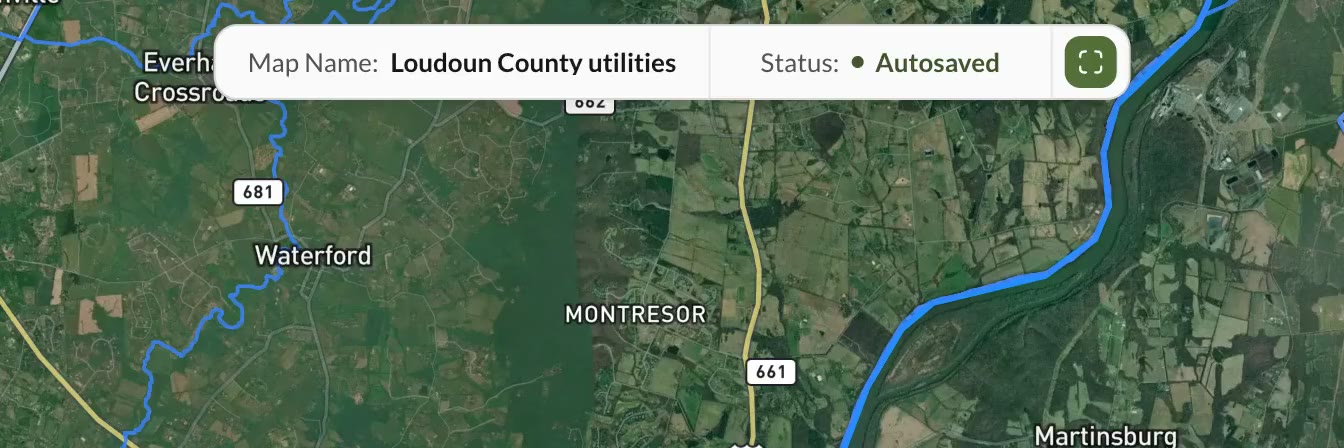
Create a map and it autosaves as you work. Open it again later and everything is where you left it: your parcels, layers, drawings and notes. If you only want to look around, choose Sandbox instead. It starts fresh every time and saves nothing.
A bar across the top of the map names the one you have open and tells you when it last saved. Switch between your maps from there, or duplicate one to try a different idea without touching the original.
A report you are done with can be removed from your list for good, files and all. Your monthly report allowance is not given back, so deleting is about keeping the list clean rather than buying yourself another report.
Any report you generate can be published at its own link and sent to a lender, a partner or a buyer. They open it in a browser with no account and nothing to install, and you can put a password on the link. The report also shows on the parcel it was made for, so you can find it again from the map.
Templates on the left, your reports in the middle — grouped and searchable — and the report itself rendered on the right. You can read one without leaving the page or downloading anything first.
The layers panel has a full-width search at the top that forgives a rough spelling, basemap styles you pick as tiles you can see rather than from a dropdown, and separate quick toggles for parcel boundaries and parcel labels.
The map tools sit in a single row of icon buttons, each named when you hover it, with Layers in the same row. It gives the map back the screen space the old toolbar took.
Choose a county and a free account gets the five premium layer groups inside it. Not a preview of them, the real layers, on every parcel in that county. You can change which county every 30 days.
Point-to-point driving directions on the map, with the routes you use saved for next time. Start them from the toolbar, from a right-click, from a parcel or straight from a search result.
Measure, Draw and Directions each open a panel docked beside the map instead of a floating dropdown that closes the moment you click anything. The panel stays open while you work.
Parcel Info for the parcel you have open, My Parcels for the ones you have saved, and the layers panel underneath both. No more scrolling past one to reach the other.
A Street View marker you pick up and drop anywhere on the map, instead of hunting for it in a right-click menu.
Everything on this page is live in Land Owl today.