Feature
Shared maps: send the map, not a screenshot
A screenshot of a parcel map is out of date the moment you send it, and nobody can click on it. Publish a saved map in Land Owl and you get a link instead. Whoever opens it sees the real interactive map in their browser, focused on the sites you picked, with no sign-up and nothing to install.
Land Owl is a parcel intelligence platform for land investors, developers, and researchers — 160M+ U.S. parcels with county-verified ownership, zoning, and infrastructure data on one map.
What is a shared map in Land Owl?
A shared map is a public link to one of your saved maps, on a landowl.com/s/ address. Anyone with the link can open it in a browser and pan, zoom and switch layers on the live map. They do not need a Land Owl account.
It stays current. A live share is rebuilt from your saved map each time someone opens it, so the parcels, notes and drawings you changed this morning are what the other person sees this afternoon. If you would rather keep the version you sent, freeze it: the link keeps working and stops changing.
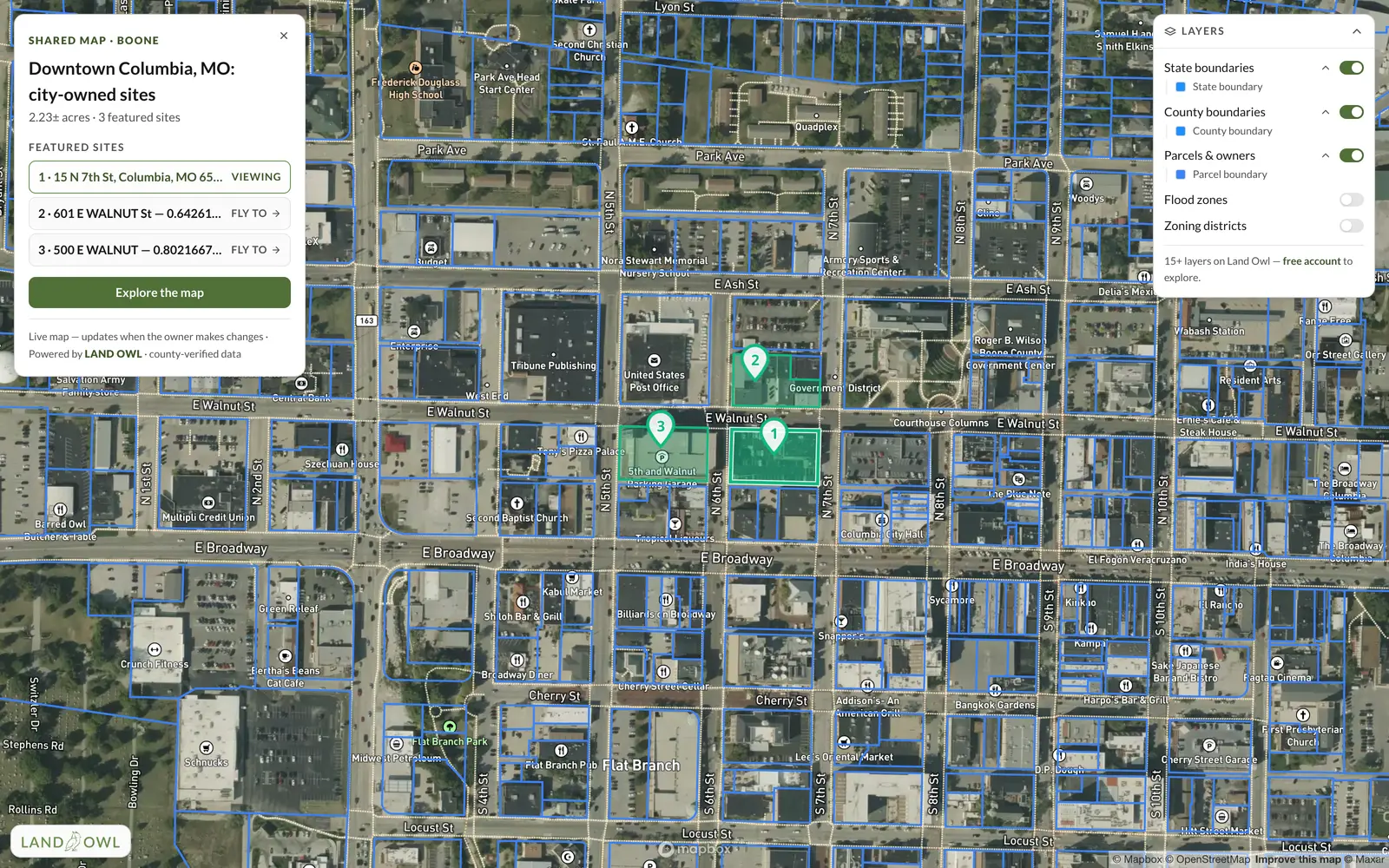
You decide what goes with the link. Feature the parcels that matter and they open with full detail. Choose which layers viewers can turn on, and which drawings, waypoints and notes are included. A focus area keeps the parcel data to the area around what you shared.
Who is it for?
Anyone who has to show a site to someone who does not use Land Owl.
- Brokers and agents sending a buyer the parcels behind a listing
- Developers and site selectors walking a partner, lender or council member through a shortlist
- Land investors sharing a deal with a co-investor before a call
- Consultants handing a client the map behind a recommendation
- Teams who want one link in an email instead of a stack of screenshots
How do you share a map?
Sharing starts from a saved map. Open My Maps, find the map, and choose Share.
Publish the map
Press Publish and Land Owl creates the link. Copy it and send it however you like: email, text, or pasted into a listing.
Choose what travels with it
Click parcels on the map to feature them, turn on the layers viewers can use, and pick which drawings, waypoints and notes are included. Add a password if the link should not be open to anyone who is forwarded it.
They open it, you keep working
The recipient opens the live map with no account. Your later edits show up the next time they open it, unless you freeze the share to keep the version you sent.
Live example
Open a real shared map
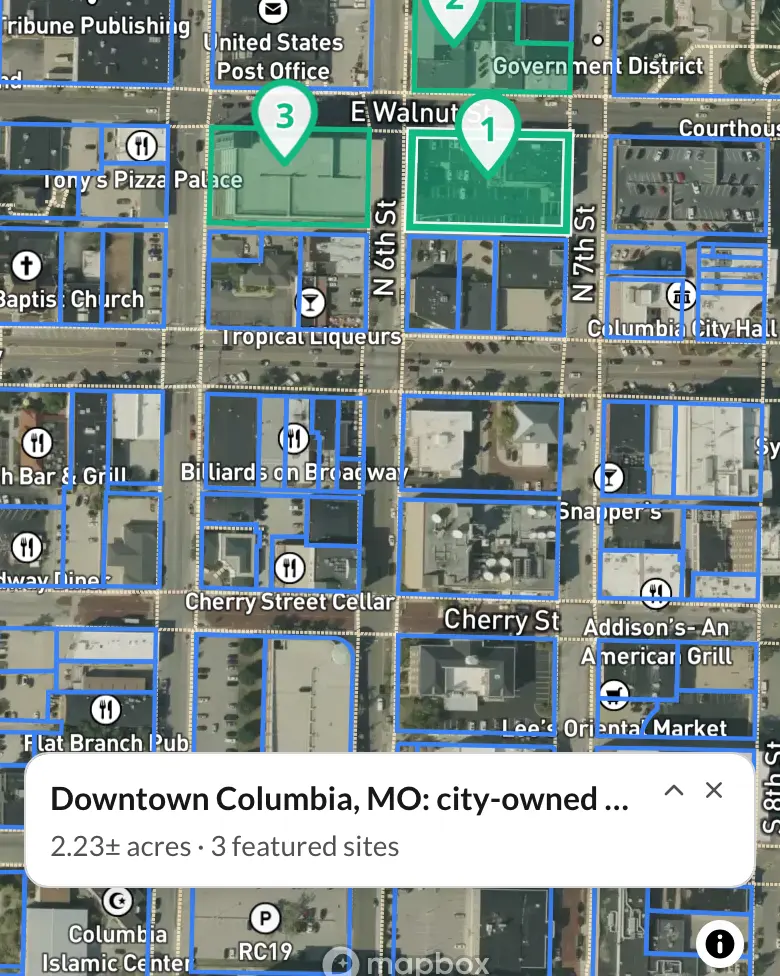
This is a live share of city-owned sites in downtown Columbia, Missouri. It opens exactly as it would for anyone you send a link to — no account, nothing to install.
What you get with Shared maps
| Capability | What it actually does |
|---|---|
| The link | One public link per map, on a landowl.com/s/ address — opens in any modern browser |
| Viewers | No account and no download needed to open it |
| Staying current | A live share rebuilds from your saved map every time it is opened; freeze it to keep the version you sent |
| Featured parcels | Parcels you pick open with full detail for every viewer |
| Focus area | Parcel data is shown around what you shared, not across the whole country |
| Layers | You choose which layers viewers can switch on |
| Drawings and notes | Choose which drawings, waypoints and notes are included |
| Password | Optional password on any map link |
| Plans | Basic: 5 published maps. Standard: 100. Premium: unlimited. The free plan cannot publish |
What a shared map does not do
Viewers can look but not edit. They cannot change your map, and they cannot save a copy of it into an account of their own.
It does not carry everything on your map. Map files you uploaded yourself are not published on a share, and a saved route travels as its name only — the line is not drawn for viewers.
Parcel data stops at the focus area. The basemap, roads and place names continue everywhere so a viewer can see where they are, but parcels outside the area around what you shared are not shown. And publishing is a paid feature: the free plan can open shared maps but cannot publish one.
Step-by-step guides
Related terms
Shared maps: FAQ
Does the person I send it to need a Land Owl account?
No. A shared map opens in any browser with no sign-up and nothing to install.
If I change my map, does the link update?
Yes, for a live share — it is rebuilt from your saved map each time someone opens it. If you want the link to keep showing the version you sent, freeze the share. The link keeps working and stops changing until you unfreeze it.
Can I password-protect a shared map?
Yes. Any map link can have a password, so a link that gets forwarded is not open to whoever receives it.
Can viewers edit my map or save a copy?
No. A shared map is view-only. Viewers can pan, zoom, switch the layers you allowed and read the featured parcels, but they cannot change your map or save it to an account.
How many maps can I share?
Basic includes 5 published maps, Standard 100, and Premium is unlimited. Freezing or deleting a share frees its slot. The free plan cannot publish maps.